After installing CoreBOM Application, Double Click on CoreBOM dekstop Icon
You're now ready to start using CoreBOM to streamline your product and BOM management from CAD to Odoo!
You're now ready to start using CoreBOM By Clicking in CoreBOM icon.


By Clicking in CoreBOM icon.
here you will find all cad application (E.g Acutocad Inventor, Solidworks, Siemens SolidEdge and many more ...) installed in you system.
Activate CoreBOM
To start using CoreBOM, you'll need to activate your license
-
If you already have a license, simply click follow below steps to Update License and enter your activation details.
-
If you don’t have a license yet, click the Buy License button. This will redirect you to our official website, where you can purchase a valid license key.
If you already have a license, simply click follow below steps to Update License and enter your activation details.
If you don’t have a license yet, click the Buy License button. This will redirect you to our official website, where you can purchase a valid license key.


Purchase CoreBOM License
Search for the "DIGITAL LICENSE" product.
as per your requirement Choose the license type that suits your. now Complete the purchase through the checkout process.
make sure that during purchase process enter valid email address, you activation code will be deliver by email.
** please take note that TRAIL License only available ones.
Update CoreBOM License
after successful completed purchase process you will get email with activation key.
to update license details you have to right click CoreBom icon and select License as show in image.
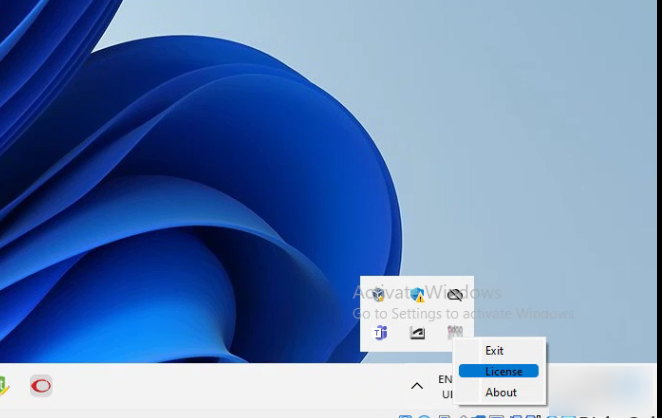
Update CoreBOM License
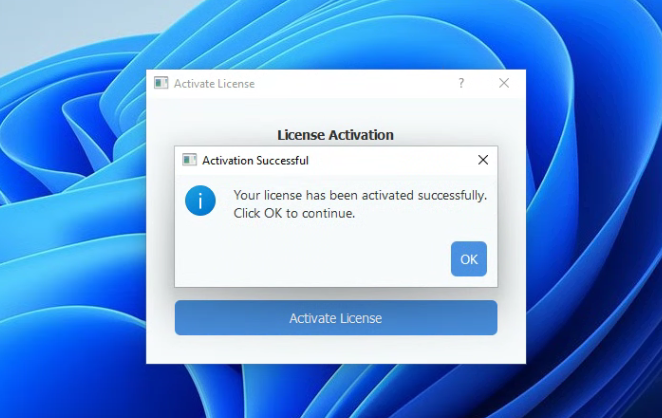
Enter the Activation Key you received via email which you have provided during purchase.
Click the "Activate License" button to complete the activation.
If the activation key is valid, a success message will appear confirming that your license has been activated
Note: CoreBOM application works with CAD application, so before staring CoreBOM please make sure your cad application is started and its has active any document so CoreBOM will start reading data from active document.
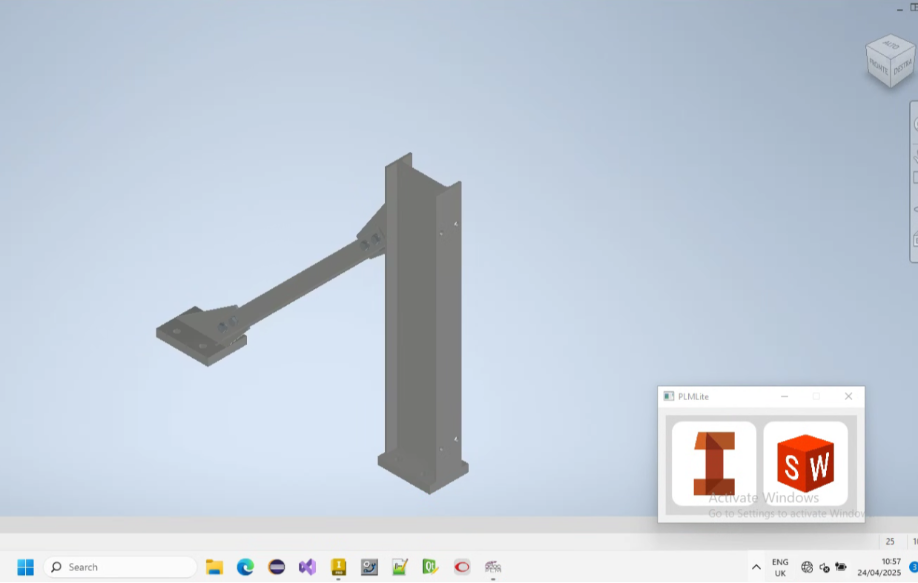
Present Data Retrieved by CoreBOM
As shown in the image, CoreBOM displays data extracted from your CAD application.
Please ensure all required fields are properly filled out in the CAD file’s properties.
If any required information is missing, CoreBOM may not be able to read it correctly, resulting in blank fields or unnamed records in Odoo.


Creating and Updating Data
In this section, you’ll find buttons to Create and Update data in top left hand side. by hovering on icon you can identify button name.
-
Update from odoo Button:
-
-
Click this button to update existing records in Odoo using the current data shown in CoreBOM.
-
-
Create to odoo Button:
-
-
Click this button to create new products and their complete BOM structure in Odoo, exactly as displayed in CoreBOM.
-